![Voltaiq_Logo_Black_Transparent- 600.png]](https://1913583.hs-sites.com/hs-fs/hubfs/Voltaiq_Logo_Black_Transparent-%20600.png?height=42&name=Voltaiq_Logo_Black_Transparent-%20600.png)
Step-by-Step
- Use the available set of Filter Search capabilities to find the set of tests or devices that you are interested in, just as you normally do
- For visibility, open the Data Management Panel, tucked into the right side of the Search Results Page
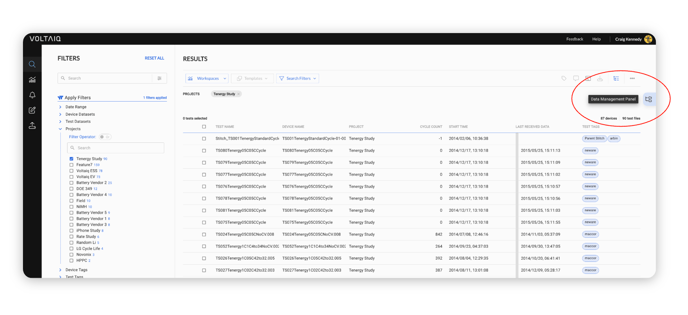
Note that with changed search behavior, you can now 'stack' the results of multiple searches - with different search criteria - on the Data Management Panel, allowing you to build a better edited initial selection of devices and tests
- As you select records on the Search Results Table (by clicking the row's checkbox) you'll see your selections automatically appear in the top section of the Data Management Panel.
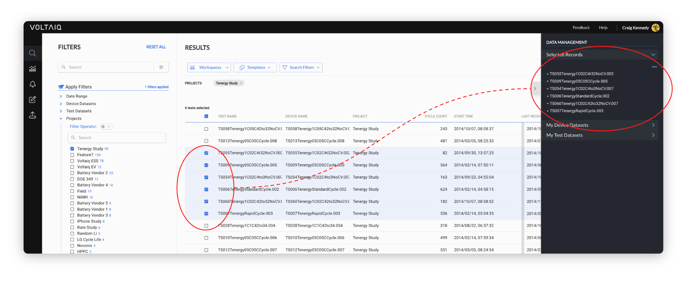
- You now have lots of options to manage and persist this set of records!
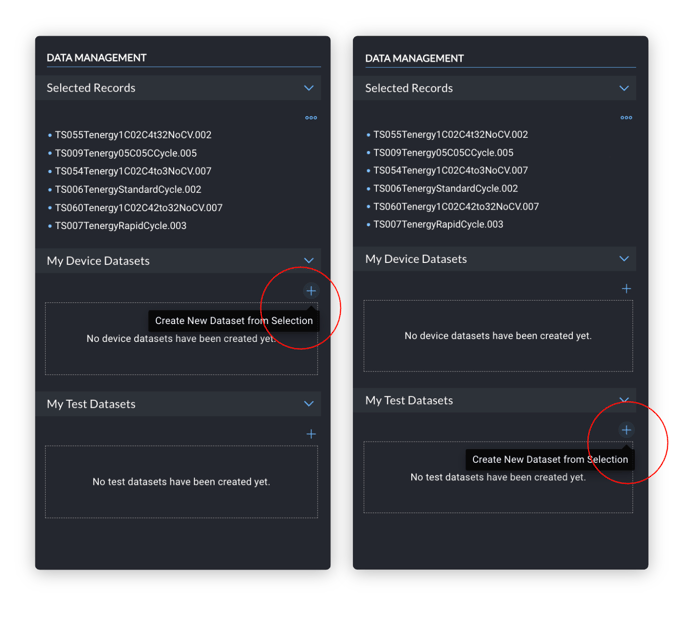
- First open the My Device Datasets or My Test Datasets accordions by clicking on the caret
- Clicking the '+' icon, highlighted in the images below, immediately creates a new untitled Dataset
- You can rename the Dataset (in this case, a Test Dataset) and expand it to see that the test files from the top section have been moved into the Test Dataset automatically.
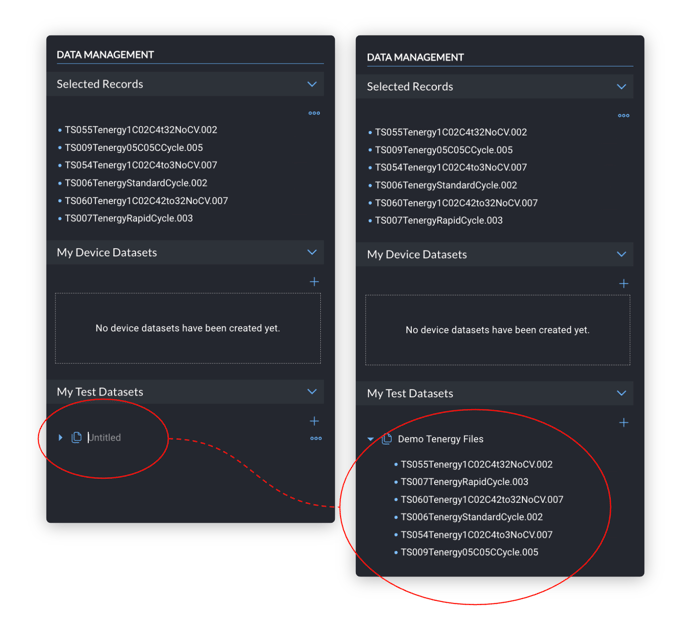
- This dataset is now persisted for you in the application. It will be available to you until you decide to remove it
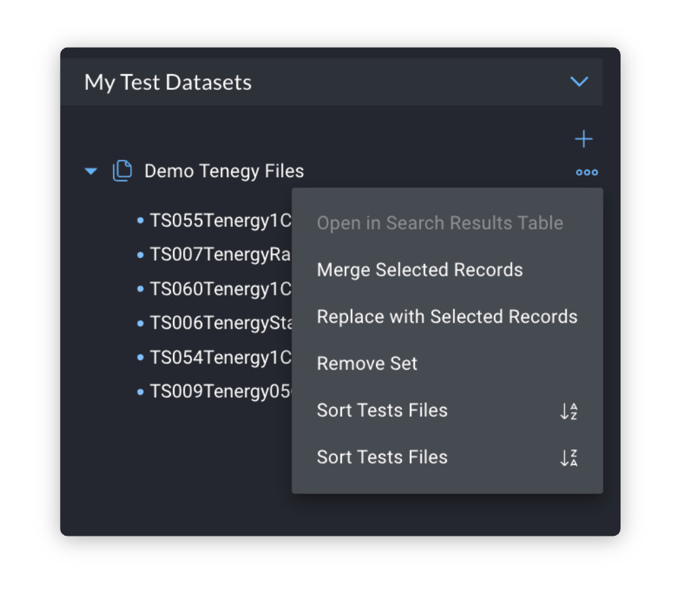
- A number of management features are also available - just click on the 'triple dot' icon to open the Option modal in order to see them. You can:
- Merge additional selected records into the same Dataset
- Replace the contents of an existing Dataset with a brand new set of selected records
- Delete a Dataset if it is no longer useful to you
- Sort the contents of the dataset to more find certain tests or devices within the dataset if it contains lots of entities
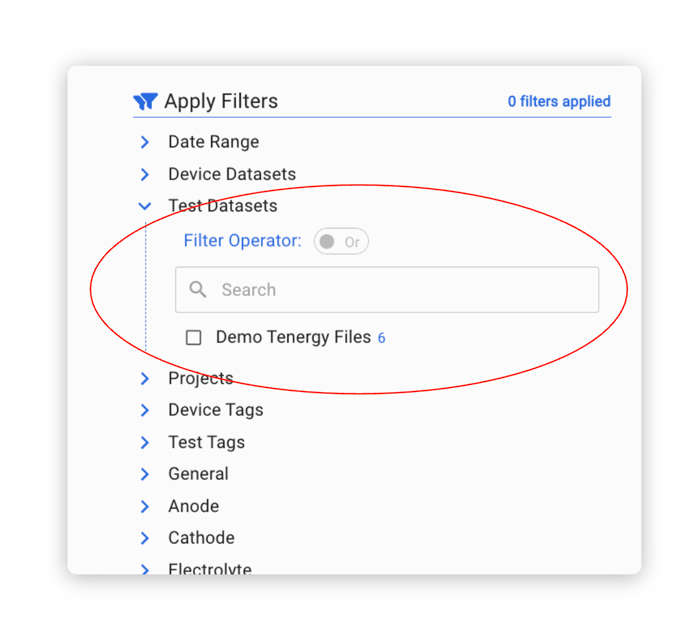
- Once you have created a Dataset, it will appear on the Filter Panel (either as a Test of Device Dataset, depending on what you created) for later use when you want to quickly return to this set of records
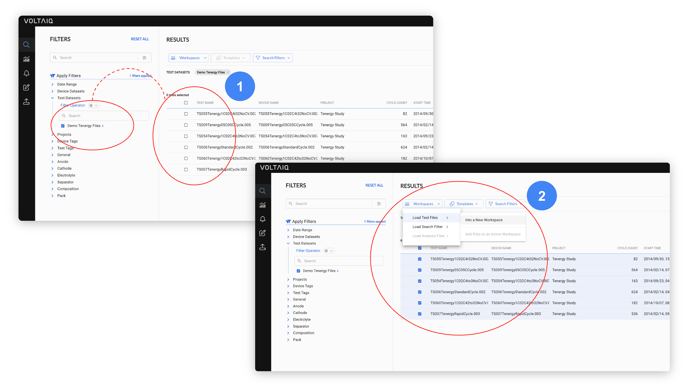
- The full supported workflow we imagined would be:
- Create any number of Test of Device Datasets
- Find and use them in the Filter Panel to easily down-select the Search Results table to just those records
- Select the records and pull them into a Template or Workspace for analysis
Happy Dataset Creation! 🎉