![Voltaiq_Logo_Black_Transparent- 600.png]](https://1913583.hs-sites.com/hs-fs/hubfs/Voltaiq_Logo_Black_Transparent-%20600.png?height=42&name=Voltaiq_Logo_Black_Transparent-%20600.png)
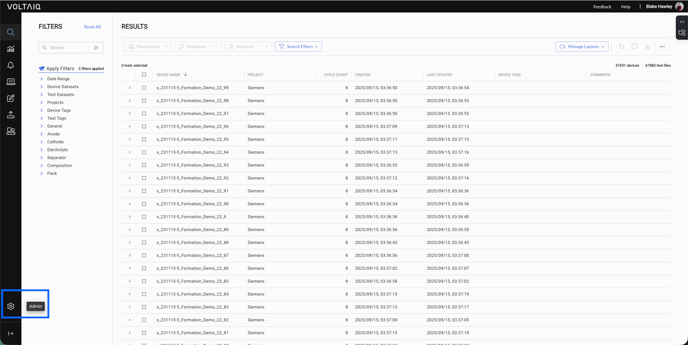
1. Navigate to the Admin panel by clicking the gear icon in the lower left corner of the screen.
2. Select Projects, Teams, Roles and User Administration from the menu.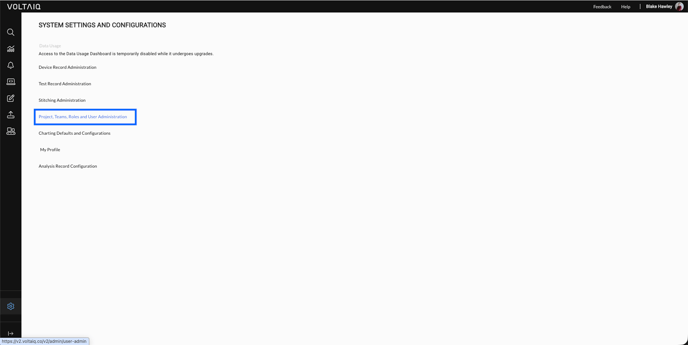
3. Select Manage Users from the menu.
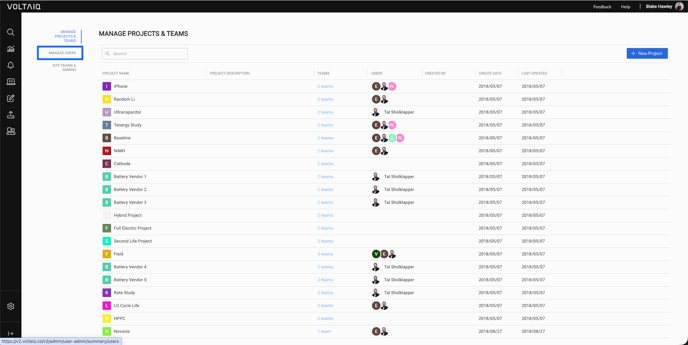
4. Select New User in the top right corner of the screen.
5. Fill in the necessary information, ensuring that the password requirements are met (eight characters, one lower case letter, one upper case letter, and one number), then click Save in the top right corner.
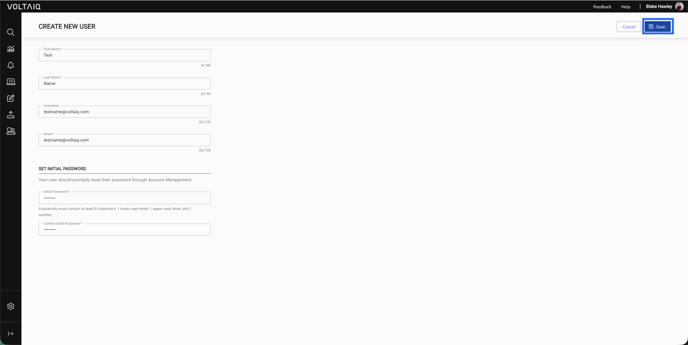
Congratulations! Your new user account has been created.
To assign permissions for the new user account, see this article.