![Voltaiq_Logo_Black_Transparent- 600.png]](https://1913583.hs-sites.com/hs-fs/hubfs/Voltaiq_Logo_Black_Transparent-%20600.png?height=42&name=Voltaiq_Logo_Black_Transparent-%20600.png)
In the plot below, we want to report the capacity in terms of mAh/g, instead of Ah.
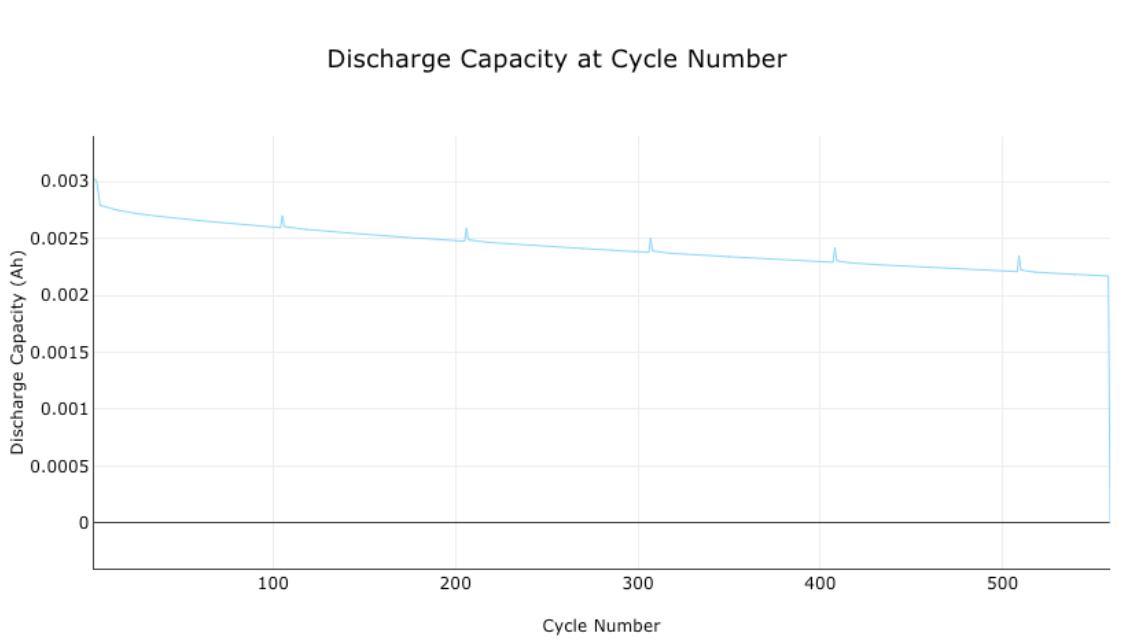
In the 'Chart Axes' in the right panel, select the unit that the metric (in this case, discharge capacity) should be reported in.
Because the desired final unit is 'mAh/g', select 'mAh' for the discharge capacity.

To normalize the discharge capacity by device mass, find 'Normalization' in the panel on the right.

1. Click 'Add Values'
2. Under 'Normalize y-Axis', select 'Device Active Material Mass'
3. Under 'Unit', select 'g'
4. Click 'Generate' (or 'Update', if you've already generated a plot)

Important: The value used for 'Device Active Material Mass' is defined in the device's attributes. These can be viewed or edited by:
1. Click the search icon on the left

2. Search for the device name being plotted
3. Click the device name in the search screen

4. This will display a list with all the attributes available for the device:

Alternatively, you can also view the values used for normalization by clicking the 3 dots in the top left corner of the workspace:

Select 'Manage Normalizing Values' to view a list of all the attributes:

If needed, these values can be edited with the 'Edit' button in the top right corner.