![Voltaiq_Logo_Black_Transparent- 600.png]](https://1913583.hs-sites.com/hs-fs/hubfs/Voltaiq_Logo_Black_Transparent-%20600.png?height=42&name=Voltaiq_Logo_Black_Transparent-%20600.png)
Step-by-Step
- Confirm you are using the Test File View of the Search Results Table
- Hover your cursor over your test file of interest. You'll see a newly added 'charts' icon available on the row's left side, next to the existing checkbox
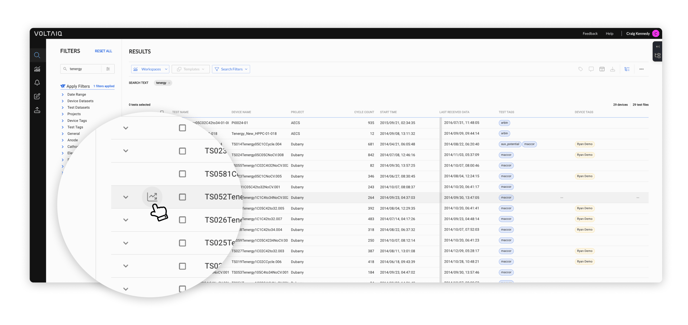
- Click on the icon to open the Quick Charts modal
- Et voilà! You now have 5 common charts immediately accessible, providing you different 'quick views' of your test file's performance
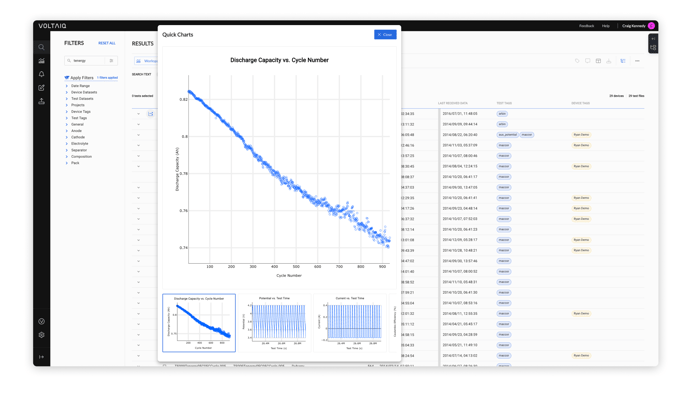
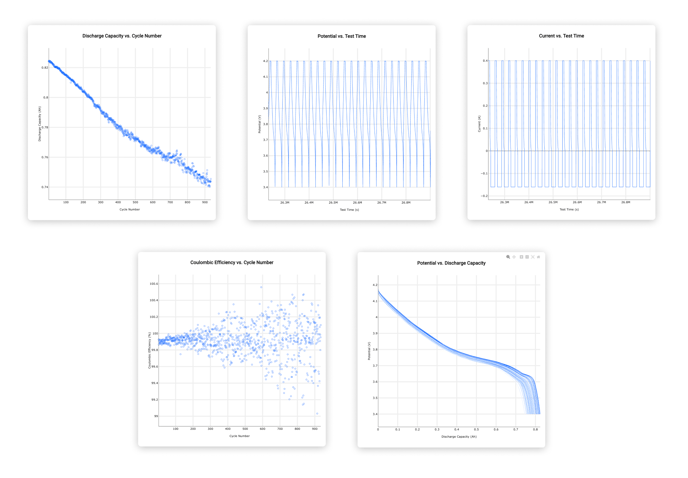
- Here are the 5 charts currently available (scroll the bottom chart preview window to access the final two charts)
- Discharge Capacity vs. Cycle Number (all cycles)
- Potential vs. Test Time (last 25 cycles)
- Current vs. Test Time (last 25 cycles)
- Coulombic Efficiency vs. Cycle Number (all cycles)
- Potential vs. Discharge Capacity (last 25 cycles)
Happy status checking on your tests! 🎉