![Voltaiq_Logo_Black_Transparent- 600.png]](https://1913583.hs-sites.com/hs-fs/hubfs/Voltaiq_Logo_Black_Transparent-%20600.png?height=42&name=Voltaiq_Logo_Black_Transparent-%20600.png)
Here's what you need to know in 30 seconds...
Share a Workspace:
1. From within a Workspace, click the "Share" icon at the top of the screen.

2. Enable sharing by turning on the share feature for this workspace under Invite Projects. Change if team members can edit or view your Workspace.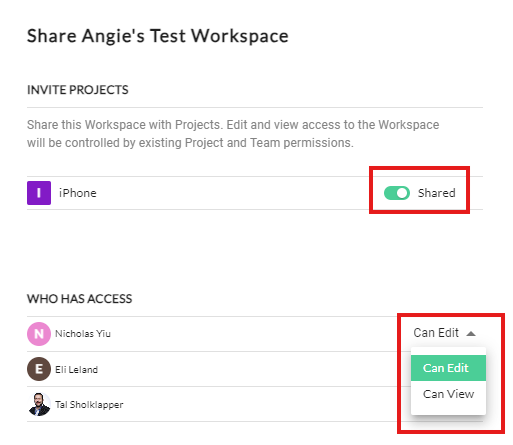
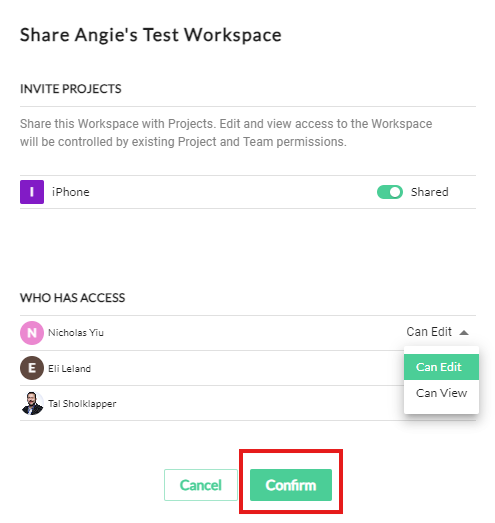
3. Click "Confirm".
Note: You must be the Workspace owner in order to share with a colleague AND that colleague has permissions to view the data within that Workspace.
Reach out to our battery engineering team for support.
Happy collaborating! 🎉