![Voltaiq_Logo_Black_Transparent- 600.png]](https://1913583.hs-sites.com/hs-fs/hubfs/Voltaiq_Logo_Black_Transparent-%20600.png?height=42&name=Voltaiq_Logo_Black_Transparent-%20600.png)
5. Scatter Plot
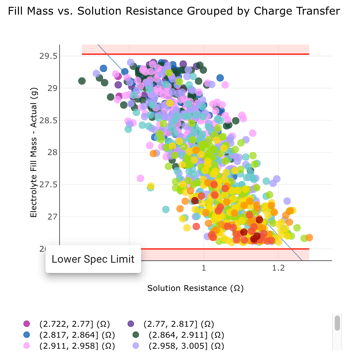
In fifth place is the scatter plot. Useful for identifying correlations, outliers, and trends, this plot is a favored tool of all engineers squinting to see if a linear correlation exists.
Did you know you can group by metadata, and use a color gradient for binning? This can can be useful for adding a third dimension to your scatter plot.
4. Differential Capacity
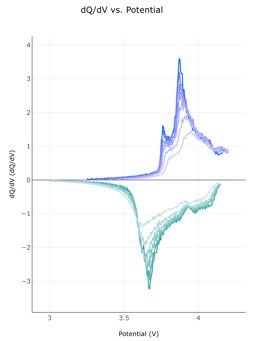
In fourth place is the differential capacity plot. This is useful for identifying phase transitions, tracking SOH, or diagnosing degradation mechanisms. An interesting use case is featurizing the dQ/dV peaks as a metric, so that their movement can be used quantitatively.
Did you know you can use a different color gradient on each cycle's dQ/dV curve? This is useful for visual clarity in observing how the curve evolves during cycling.
3. Histogram
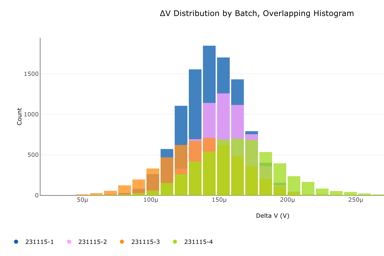
In third place is the histogram. Useful for visualizing distributions of data into bins, this chart helps identify the shape and spread of data. No self-discharge investigation is complete without one!
Did you know you can add lower and upper specs on your histogram? This is useful for visually identifying when a variable is out of spec.
2. Box Plot
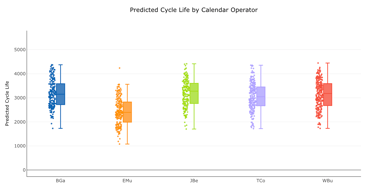
In second place is the humble box plot. An excellent choice for performing comparisons between different groups, the box plot is a favored tool for datasets containing more data than will comfortably fit in a line chart.
Did you know you can orient box plots horizontally? This is useful when there are a large amount of box plots on the same chart.
1. Line Chart
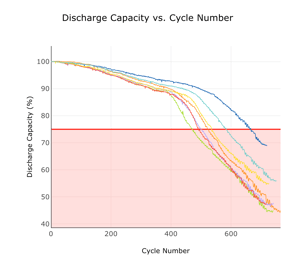
The reigning champion of charts is, once again, the line chart. No lifetime analysis is complete without the ubiquitous discharge capacity vs cycles plot.
Did you know you can add annotations and overlays to your line charts? This is useful for adding the equally ubiquitous red line at 80% SOH.
Honorable Mention: Text Box
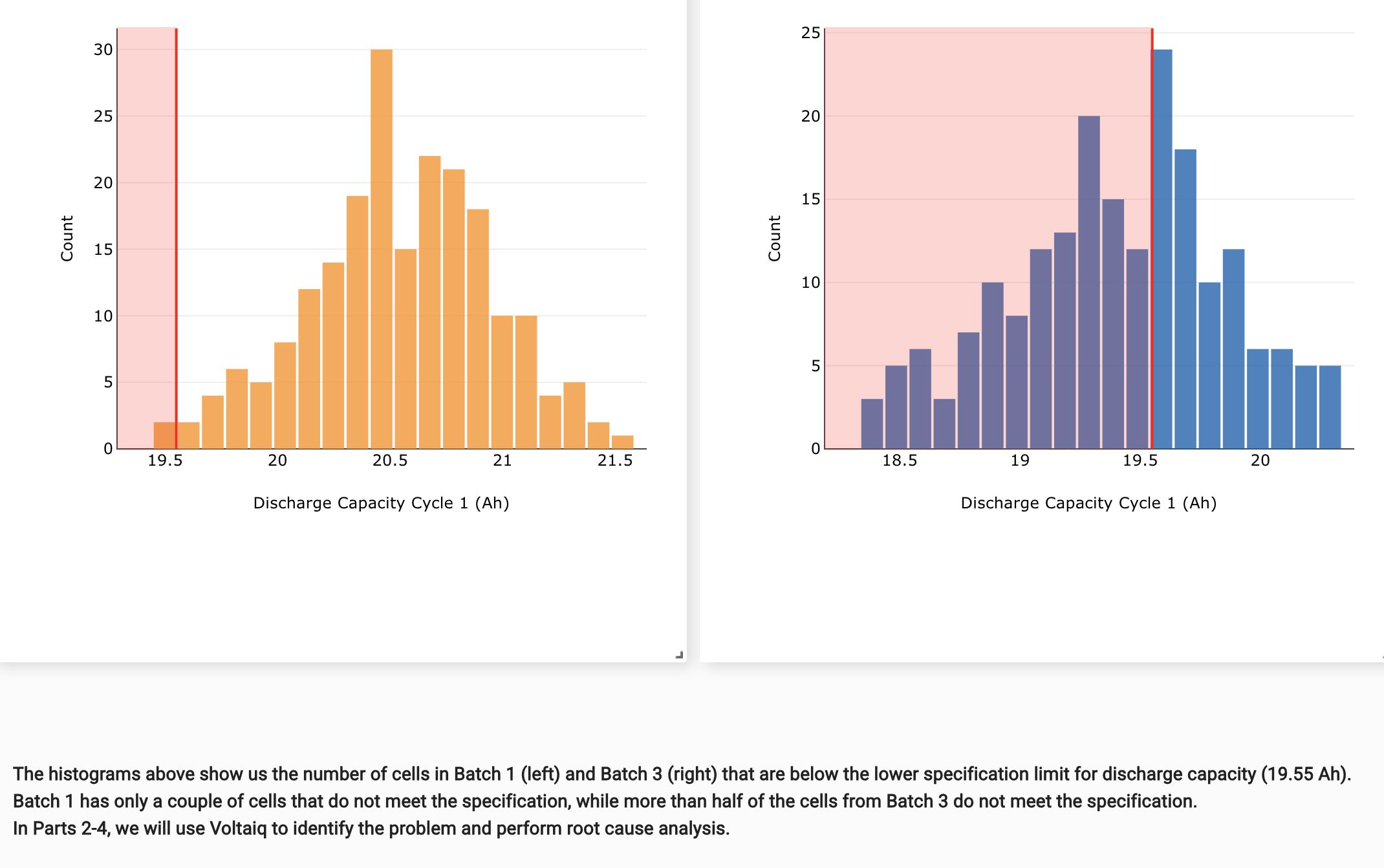
While technically not a chart, the text box deserves a mention as one of the most popular charting widgets in Voltaiq in 2025. It's a workhorse when it comes to explaining analysis. Why take the chance of your analysis being misinterpreted when you can add the explanation right on the workspace?